
Vocabulary Flashcards App for iPhone and iPad
Make flashcards from your own notes, word lists or documents. Finish studying a group to schedule eight fixed reviews, starting 30 minutes later.
- 11 learning languages
- 1,300+ wordbooks across the catalog; availability varies by language pair
- 8 vocabulary activities
Open in your browser to download
- Tap the top-right ···
- Choose “Open in browser”
- Tap “Free download” in Safari
Choose your App Store region
Choose the storefront for your Apple Account. If your region is missing or Apple opens the Today tab, search for FreeLingo in the App Store on your iPhone or iPad.
Vocabulary learning
Start with what you want to understand.
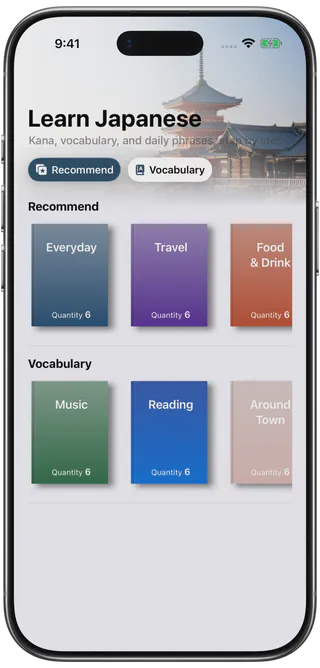
Choose a wordbook or bring a list from your own course notes, reading or work. Set how many new words you want to study each day.
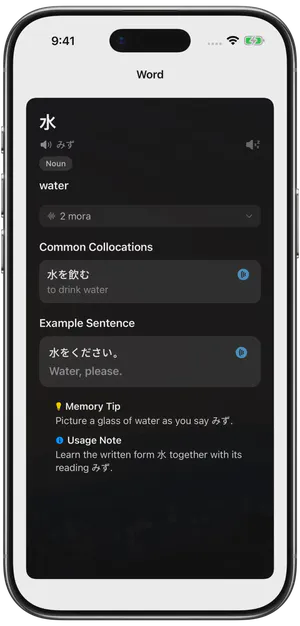
Study pronunciation, meaning and usage in the word cards, then try the listening or spelling options available for that language and material.
Hear how a word sounds with AI voices and available human recordings. See pronunciation and listening.
Find wordbooks and starting points for the language you are learning through English.
- Read the wordbook introduction and scope before starting.
- Preview your own imported entries before adding them to a plan.
- Check meanings and available audio in the first word cards.
Fun practice
Practise the same words in another way.
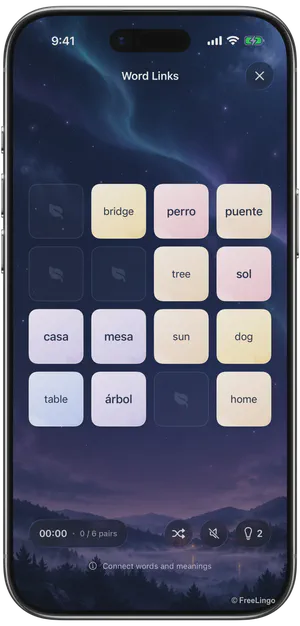
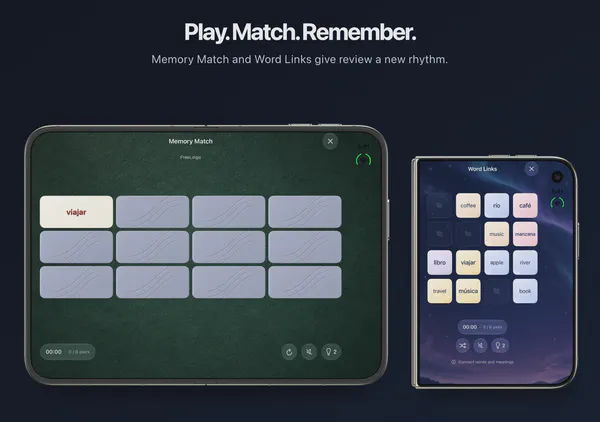
Turn over cards, connect a word to its meaning or move a word box to its matching definition. Each activity adds a different interaction to vocabulary recognition.
Choose an available activity, complete it and check the result. Return to a word card when a meaning is still unclear.
- Memory Match:Turn over two cards to match each word with its meaning.
- Word Catch:Read the meaning and move left or right to catch its word.
- Word Box:Push each word box onto its matching meaning.
Choose an activity that fits your material
Scheduled review
Today’s words have a next review.
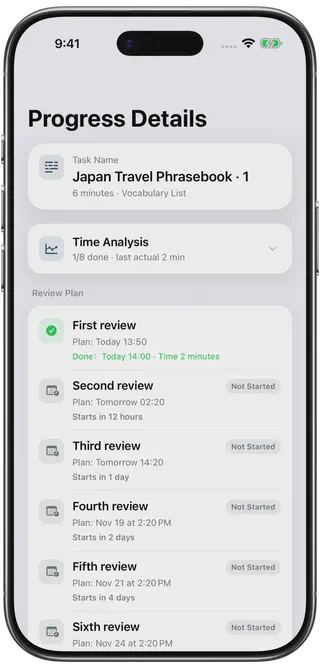
Once you first complete a study group, FreeLingo schedules later review tasks at fixed intervals. Find the material that is due alongside your new study tasks.
When a group is due, open its review task on the home screen. Finish the task and save it to record the round.
Preset review intervals
- 30 minutes
- 12 hours
- 1 day
- 2 days
- 4 days
- 7 days
- 15 days
- 30 days
AI learning support
Follow a question through to practice.
Paste a passage and point out the word or sentence you want to understand. Ask the AI assistant to explain how it is used in context.
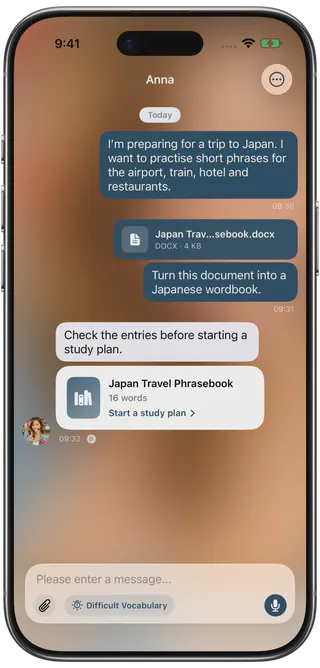
After checking prepared entries, create a new plan or add to a compatible one so the material can continue into later study and review.
- Try asking “What does this word mean in this sentence? Explain it in English for a beginner.”
- For longer reading, include the surrounding sentences and identify the term that is unclear.
- Upload a supported document, check the candidate entries, then create or add to a plan.
How to use FreeLingo
Connect your vocabulary with study and review
For learners who have material to study and want to connect what to learn, how to practise and when to return.
Start with a small, useful group
For example, open a course handout in the App, select the language you are learning and check the suggested words against the handout. Keep a small group and add it to a plan. Open today’s study task to see how the words are used on their cards. Follow the document import guide for supported file types and upload limits.
You can also start with a ready-made wordbook. Read its title and description before creating a plan, then inspect the first cards.
Set the target language to the language you are learning and the explanation language to one you understand. For example, choose Japanese with English explanations to study a Japanese handout through English. Find a starting point in the learning guides for English speakers.
Study, practise and save
Open today’s study task and read each card. Listen to the word, try spelling it or match it to its meaning in Memory Match. The App offers activities that fit the language and words in your group.
To record a completed review, open the due task, finish its steps and save the result. Between scheduled reviews, use the Fun Center for an extra round with familiar words. See the guide to study tasks and extra practice.
Audio sources and listening
Tap the speaker on a word card to hear its pronunciation. Depending on the entry, FreeLingo plays a human recording or uses a generated voice. Listen to an example sentence, then repeat it aloud. Use listening review to play a queue of words and examples.
Offline, you can study cards stored on your device and replay downloaded audio. For word cards that use a generated voice, the App can also read the text with an available system voice when the audio download fails.
What the schedule does
If you finish a group at 9:00 a.m., its first review is due at 9:30 a.m., its second at 9:00 p.m. and its third at 9:00 a.m. the following day. Later rounds follow the same fixed schedule. See all eight intervals and how to handle overdue tasks.
Check access and continuity
Free access includes one active plan and the first three formal review rounds for each group. Membership unlocks all eight rounds. The App tracks newly studied words and daily AI chat messages separately. See the free and membership allowances.
To continue on another iPhone or iPad, use the same iCloud account and let your study plans, progress and review tasks sync. Use Restore Purchases to recover eligible purchases. Connect to the internet to browse the wordbook catalogue, chat with the AI assistant or convert an uploaded document.
FAQ
Frequently asked questions
What does FreeLingo help me do?
Turn words from your reading or course notes into flashcards, learn a group on your iPhone or iPad, then return when its first review is due. You can also start with a ready-made wordbook.
Can I review material I import alongside ready-made wordbooks?
Both use the same study-plan and review workflow. Confirm the plan’s languages and candidate entries before adding material.
When will I review the words I just studied?
Finish a new group to start its fixed schedule. The first three reviews are due after 30 minutes, 12 hours and one day. Later rounds fall 2, 4, 7, 15 and 30 days after that first study session.
Can I continue on another device?
Yes. Use the same iCloud account on both devices to sync study plans, progress and review tasks. Once the data has synced, open the plan on your other iPhone or iPad.
Are the voices AI-generated or recorded by people?
FreeLingo uses high-quality AI voices and also retains human-recorded audio resources. The source varies by language, entry and activity; check the current entry. Listen, repeat and use listening review where available. Playback does not provide automatic pronunciation correction or a pronunciation score. See audio sources and listening.
Start today
Start today’s learning.
Try the complete workflow with a small amount of material that matters to you.
 Scan to choose your App Store region