
Open in your browser to download
- Tap the top-right ···
- Choose “Open in browser”
- Tap “Free download” in Safari
Shared from a friend’s practice
Fun practice
Practise word meanings in a different way
Choose the vocabulary task first, then the controls you enjoy. A score records an attempt, not permanent memory.
- Choose an activity to suit your material
- Separate vocabulary answers from movement
- Check that formal results have been saved
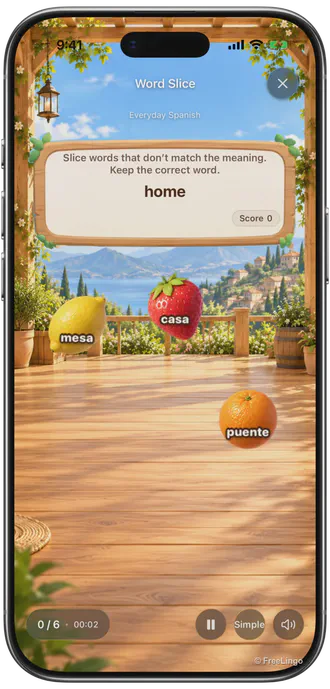
English interface · Spanish vocabulary · Illustrative content
Use eligible material from your learning to practise matching words and meanings. Each mode combines a vocabulary task with different controls, so choose both deliberately.
Compare the modes
| Mode | Vocabulary task | Controls and conditions |
|---|---|---|
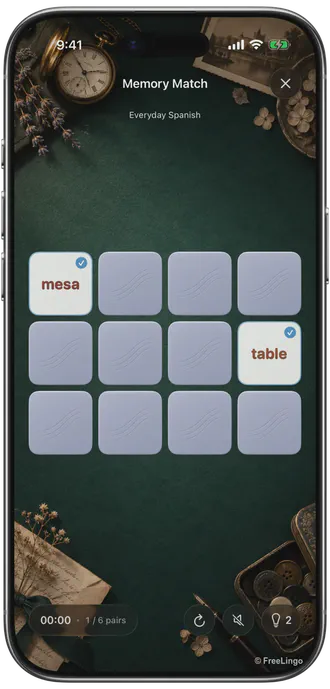
| Memory Match | Match a word with its meaning | Turn over two cards; no countdown; at least two eligible words |
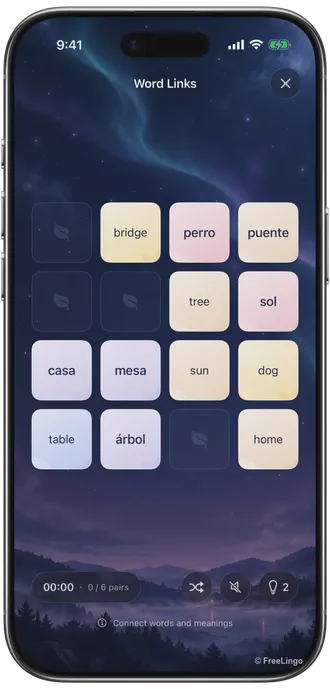
| Word Link | Match face-up words and meanings | Find a path with at most two turns; at least four eligible words |
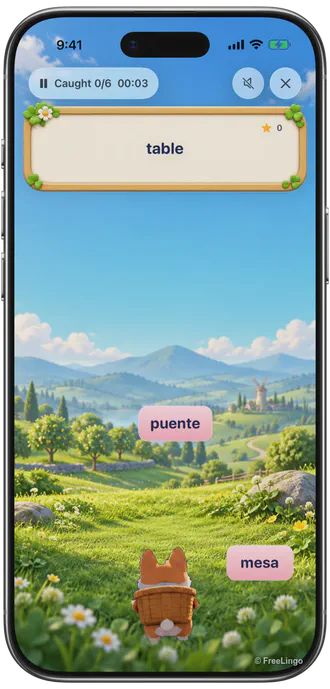
| Word Catch | Find a word from its meaning | Slide the corgi to catch it and avoid distractors |
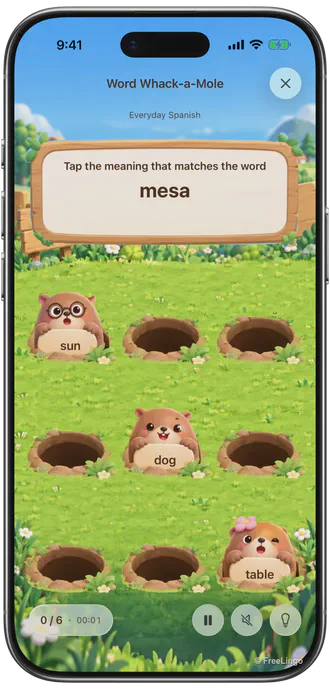
| Word Mole | Find a meaning from its word | Tap the matching mole; missed movement is separate from a wrong choice |
| Word Slice | Keep the word matching a meaning | Slice distractors and leave the correct word intact |
| Word Box | Match word boxes to meanings | Push along a route; undo and restart are available |
| Word Tower | Identify a word from a meaning | Aim and directly hit the corresponding box; chain collapse does not answer other words |
| Word Crossing | Reach the meaning matching a word | Move through obstacles; traffic errors and vocabulary errors are separate |
The minimum word count is only one eligibility condition. The material also needs usable meanings and prompts, and the entry point must support the mode. Pinyin-only content is not ordinary word–meaning material.
Start from your word cards
- Choose suitable material and create a plan with the correct target and explanation languages.
- Open a new-study task and read its word cards.
- Select an activity available for this material after the cards.
- Complete the activity, review the result and confirm that saving succeeds.
Formal tasks and extra practice
For a new-study or due-review task, enter from the relevant task, complete its required workflow and save successfully. Then check the original task status. Training, replay and early practice are additional practice; they do not replace due review or automatically change later dates.
The Fun Center guide explains how to start, what to check when a mode is unavailable and how to investigate an unfinished task.
What a score can tell you
Read the word, meaning, error and hint records after an attempt. Movement, spatial memory and route planning contribute to some activities, so their scores are not a complete measure of language ability. Fun scores record local personal bests; they are not synced rankings or redeemable rewards.
One correct answer does not prove lasting mastery. Revisit uncertain cards, listen where audio is available and use the words in meaningful context. Activity screenshots use the App’s English interface with illustrative Spanish vocabulary and English meanings. They explain the controls; they do not establish the availability of a particular published wordbook.
Eight activities: previews and rules
Compare the activities and their actual App screens
Each mode has its own controls and word–meaning task. Read the rules before choosing; availability depends on the current material. Screenshots below use the English interface with illustrative Spanish vocabulary.
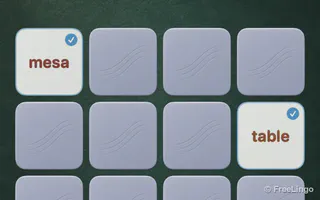
Quiet · Word and meaning practice
Memory Match
Turn over two cards and find a word’s meaning
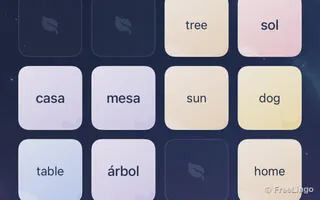
Quiet · Word and meaning practice
Word Link
Join matching cards with at most two turns

Active · Word and meaning practice
Word Catch
Move the corgi to catch the matching word

Light · Word and meaning practice
Word Mole
Read carefully, then tap the matching meaning
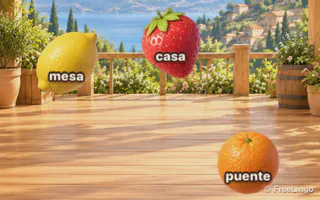
Active · Word and meaning practice
Word Slice
Slice distractors and leave the answer intact
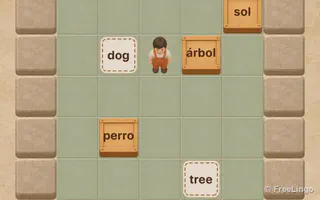
Puzzle · Word and meaning practice
Word Box
Plan a route and push each word to its meaning
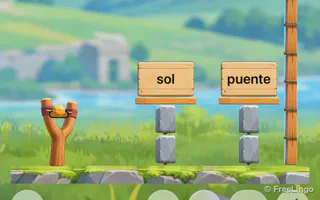
Aim · Word and meaning practice
Word Tower
Read the meaning and aim at its word box
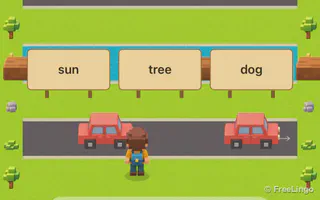
Movement · Word and meaning practice
Word Crossing
Cross the street to the matching meaning
Screenshots, characters and card artwork © 2026 FreeLingo. Shown to explain the product; copying, redistribution or reuse in other products requires written permission.
FAQ
Frequently asked questions
What can I practise with these activities?
The modes use eligible word–meaning material with different controls, such as matching, linking, catching and route planning. They do not measure all language skills or prove lasting mastery.
Does fun practice complete a formal task?
Only when entered from an eligible new-study or due-review task, with the required workflow completed and results saved successfully. Check the original task afterwards. Training, replay and early practice do not replace due review.
Why is a mode unavailable?
The entry point, word count, meanings and material type must qualify. Pinyin-only material is not ordinary word–meaning material. A minimum word count alone does not guarantee eligibility.
Are fun scores ranked or synced?
Fun scores are local personal-best records. They are not rankings, do not sync and cannot be redeemed. Scores also include activity controls, so they are not a language proficiency measure.
Start today
Study the words, then choose your practice.
Use material that meets the activity’s requirements and check the result afterwards.
 Scan to choose your App Store region