
Language learning · Scheduled review · Fun practice
Learn your words. Keep coming back.
Start with a few useful words or bring material from your reading and work. Study word cards, ask AI about the details, and return for practice and scheduled review.
- 11 learning languages
- 1,300+ wordbooks across language pairs
- 8 vocabulary activities
 Scan to choose your App Store region
From learning to review
Meet a word. Practise it. Return to it.
Choose material for your current task, study it with word cards, ask specific questions, then practise and return when review is due.
- 01
Choose something worth learning
Start with letters or a useful phrase, or bring vocabulary from a course, book or work task. Check the material and create a manageable plan.
App interface · Illustrative example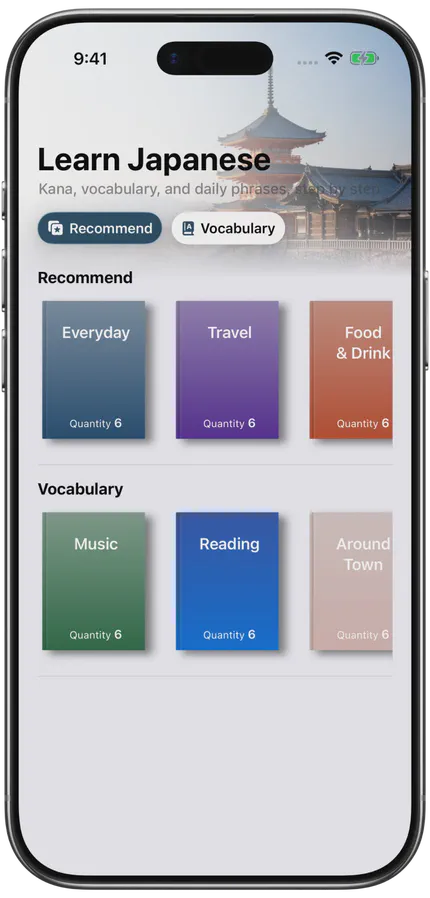
- 02
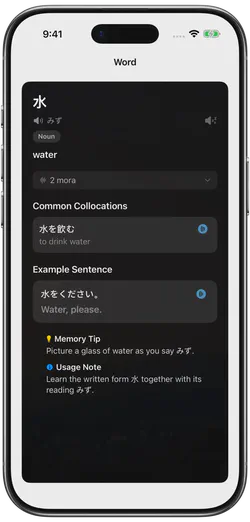
Study the word cards
Read the meaning, listen to the available pronunciation and examine an example. Ask AI about a specific point, check its answer, then try an available listening or spelling activity.
App interface · Illustrative example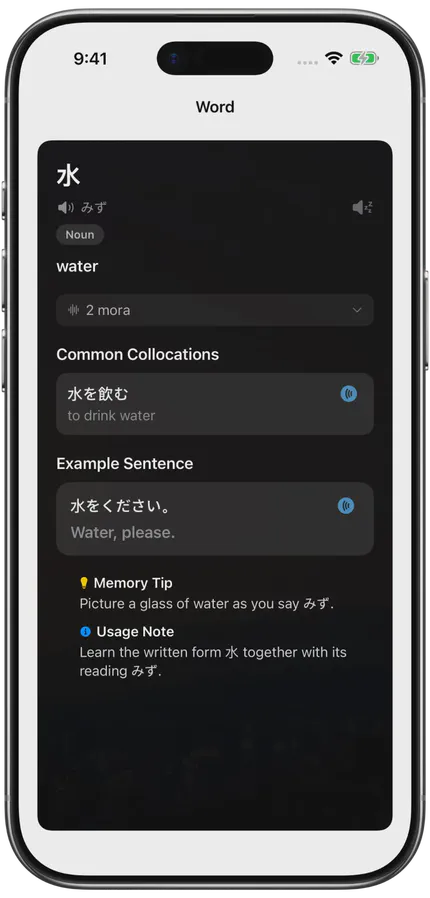
- 03
Practise in another way
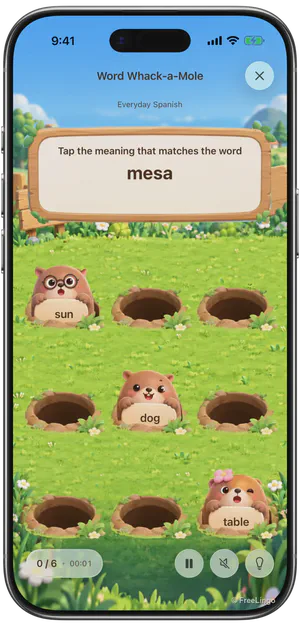
Match words and meanings, connect cards or tap the matching meaning. Available activities depend on usable definitions, word count and other material conditions.
English interface · Spanish vocabulary · Illustrative content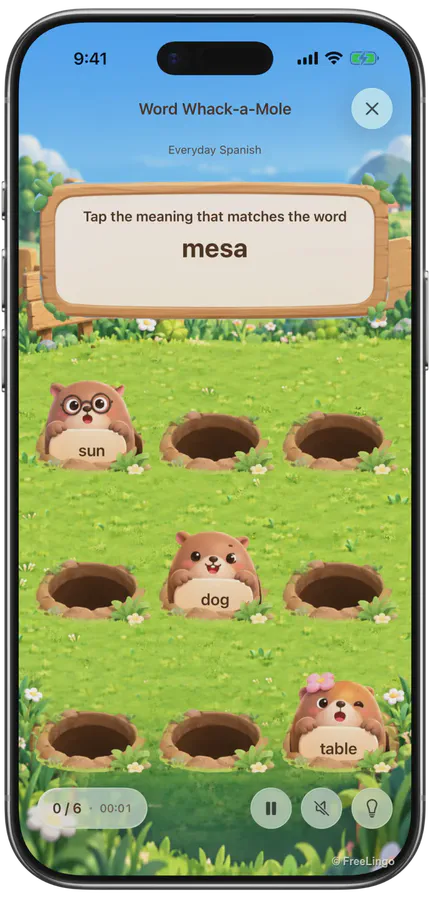
- 04
Come back for review
When a group is first completed, the App schedules later reviews. Find both new material and due tasks in your daily plan.
English App Store artwork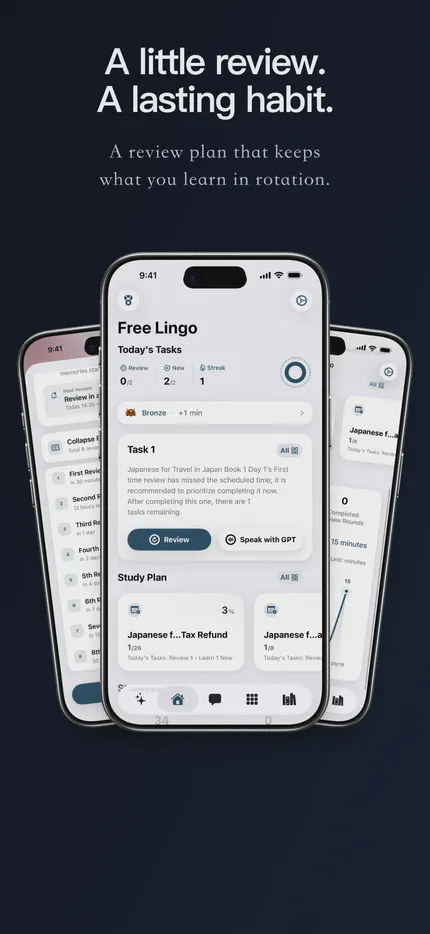
English interface · Illustrative examples and App Store artwork · Learning and practice take place in the App
Everyday learning tools
Build your study around what you need.
Use a wordbook, practise listening and spelling, bring your own material, or ask AI about a sentence.
- 1
Choose a language and a task
Explore learning paths for English-speaking readers. Start with a useful task and check which materials fit your level.
Explore learning guides - 2
Word cards, listening and spelling
Study meanings and pronunciation, then use the listening or spelling options available for that language and material.
See the learning tools - 3
Bring your own material
Turn documents, screenshots or a personal list into candidate entries. Preview and check them before creating or adding to a plan.
See the import workflow - 4
Ask specific questions
Bring an actual word, sentence or passage to the AI assistant. Use its explanation as support, and check important or uncertain details.
Explore AI learning
Word cards, vocabulary practice and due reviews all work with the content you choose.
Scheduled review
Your next review is already on the plan.
After you first complete a study group, the App schedules reviews at fixed intervals. Practice records may inform suggested duration and training content; each wrong answer does not automatically move the due dates.
- 30 minutesAfter the first completed study group
- 12 hoursAfter the first completed study group
- 1 dayAfter the first completed study group
- 2 daysAfter the first completed study group
- 4 daysAfter the first completed study group
- 7 daysAfter the first completed study group
- 15 daysAfter the first completed study group
- 30 daysAfter the first completed study group
Vocabulary resources
Find materials for your language and task
Choose material for learning through English. Check its scope and examples, then confirm what is available for your language pair in the app.
RussianРусский
Read Cyrillic, check stress and learn changing forms inside useful sentences.
- Cyrillic recognition
- Stress and dictionary forms
- Everyday exchanges
- Cases in context
- TORFL task practice
Korean한국어
Build Hangul syllables, learn sentence endings in context and connect listening with meaning.
- Hangul syllable blocks
- Final consonants
- Complete polite exchanges
- Travel replies
- TOPIK task formats
Japanese日本語
Read kana, learn kanji words in context and prepare useful exchanges with English support.
- Hiragana and katakana
- Length and listening
- Contextual kanji readings
- Travel and workplace tasks
- JLPT N5 practice
Thaiไทย
Connect Thai script, vowel length and tone with a small set of useful, checked exchanges.
- A first greeting
- Consonants and vowels
- Length and tone
- Travel responses
- Study and workplace clarification
SpanishEspañol
Pair Spanish audio with meaningful sentences, then practice verb choices and agreement in context.
- Sound and spelling
- Ser and estar by function
- Person and verb forms
- Everyday messages
- Regional context
FrenchFrançais
Connect written French to audio and learn articles, verb forms and address within complete exchanges.
- Sound and spelling
- Tu and vous in context
- Articles with nouns
- Verb forms in an exchange
- Dining and listening
GermanDeutsch
Keep articles with nouns and learn changing forms and word order through useful sentences.
- Nouns with articles
- Checked pronunciation
- Sentence roles
- Questions and word order
- Workplace requests
PortuguesePortuguês
Choose a regional goal, then study reliable audio, useful verb choices and complete exchanges.
- Regional learning goal
- Sound and spelling
- Ser, estar and ficar
- Forms of address
- Dining exchanges
Arabicالعربية
Set a standard or spoken Arabic goal, recognize connected letters and keep meaning in context.
- Standard or spoken goal
- Right-to-left reading
- Joined letter forms
- Vowels and reliable audio
- Useful short sentences
Chinese中文
Learn Mandarin through checked audio, pinyin and characters, using English to explain meaning and context.
- Pinyin and tone
- Characters in words
- Basic exchanges
- Listening and response
- Polite business language
AI-assisted learning
Keep learning, one question at a time.
Bring an actual word or sentence and a specific question. Use AI to support understanding, check the answer, then return to study and review.
Understand a word in context
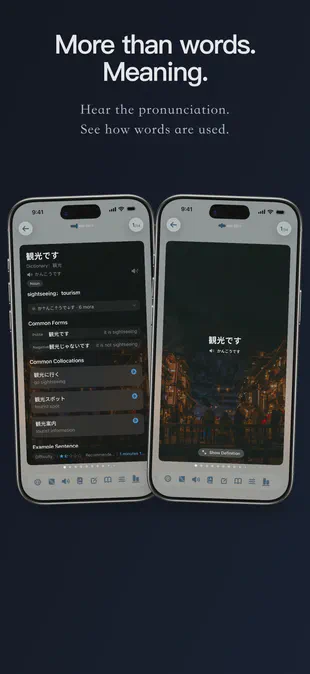
Read meanings alongside available pronunciation, examples, collocations and word-form notes. Fields vary by language and entry, and generated explanations need checking.
- Pronunciation and script information where available
- Word forms, usage and example sentences
- Language-specific hints vary by entry
- Check important details against a reliable source
Keep asking about the actual sentence
Give the assistant the word, sentence and context that raised your question. Ask for a short explanation, then check it before using the result in your work or learning.
- Ask about an actual word or passage
- State the language you want the explanation in
- Ask it to distinguish evidence from uncertainty
- Prepare a wordbook from a supported document
- Check entries before creating or adding to a plan

Revisit familiar words from another angle
AI Feed generates cards from words you have studied. Treat the new examples and explanations as material to check and practise with.
- Confusable words
- Usage in context
- Word families
- Situations
- Possible misuses
- Emotion and tone
Some learning content is supported by machine learning. This content is a learning aid and does not replace authoritative dictionaries, textbooks, official exam standards or professional language resources.
Fun practice
The same words. A different way to practise.
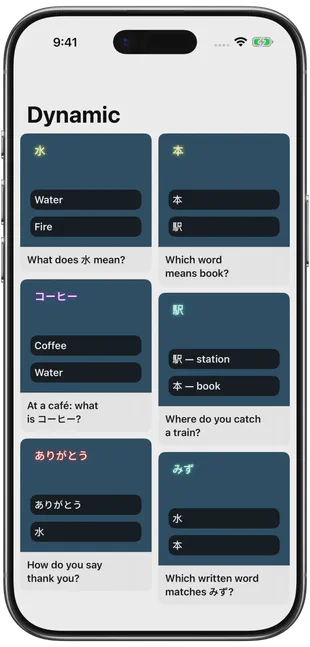
Match cards, connect meanings, tap a mole or move a word box. Choose an available activity that suits your material and the way you like to practise.
English App Store artwork
Explore vocabulary practice on a larger screen
See the English App Store artwork, then compare the individual activities and their controls before trying your own words.
Compare the activity screens and rules below. Vocabulary practice takes place in the App.
Try vocabulary practice with FreeLingo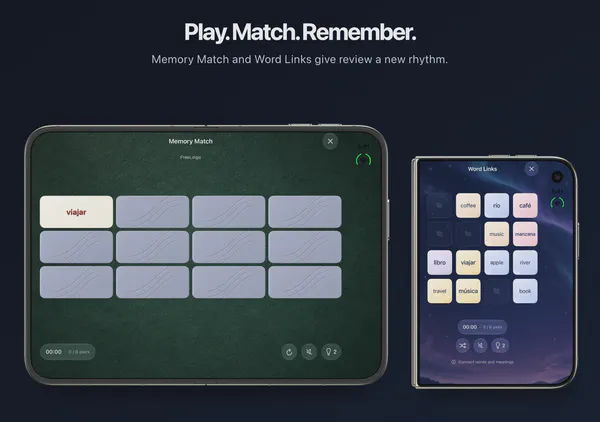

Quiet · Word and meaning practice
Memory Match
Turn over two cards and find a word’s meaning
Quiet · Word and meaning practice
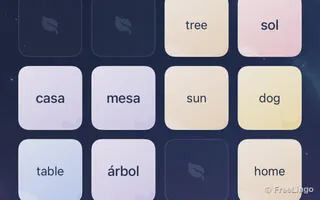
Word Link
Join matching cards with at most two turns

Active · Word and meaning practice
Word Catch
Move the corgi to catch the matching word

Light · Word and meaning practice
Word Mole
Read carefully, then tap the matching meaning

Active · Word and meaning practice
Word Slice
Slice distractors and leave the answer intact
Puzzle · Word and meaning practice
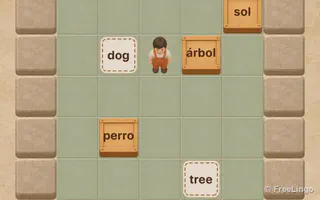
Word Box
Plan a route and push each word to its meaning
Aim · Word and meaning practice
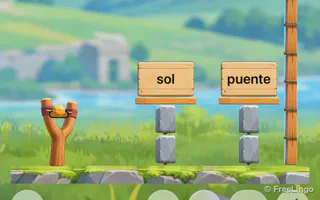
Word Tower
Read the meaning and aim at its word box
Movement · Word and meaning practice
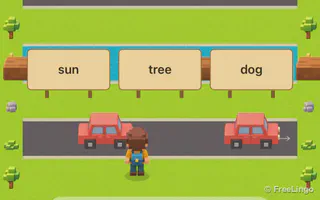
Word Crossing
Cross the street to the matching meaning
Available activities depend on the material. Extra practice does not replace due reviews.
Language-specific word cards
Different languages call for different explanations.
Explore what to notice in each language, from writing and pronunciation to meaning and usage.
- Meaning in English
- Dictionary form and usage
- Stress or form information when available
- English meanings
- Syllable and reading support when available
- Context, usage and example information when available
- English explanations
- Readings and usage when available
- Contextual examples when available
- English meanings
- Reading support when available
- Examples and usage notes when available
- English meanings
- Word forms and usage when available
- Examples and contextual explanations when available
- English meanings
- Grammar and usage information when available
- Examples for contextual study when available
- English meanings
- Gender and forms when available
- Usage and examples when available
- English meanings
- Usage and forms when available
- Contextual examples when available
Who it is for
Find a routine that fits your study task.
Choose material for the task in front of you, then connect it to a manageable study plan.
Course learners
Keep unfamiliar words from a lesson together, check their meaning in context, and return to them after class.
- Course notes
- Reading
- Lesson vocabulary
People preparing for travel
Select expressions for one real task, such as asking directions or checking a reservation. Practise both what you may say and what you may hear.
- Useful phrases
- Listening
- Real situations
People using another language at work
Bring terms and expressions from material you are entitled to use. Check professional context and important messages separately.
- Work vocabulary
- Reading
- Context
Independent learners
Build a personal list from reading, notes and screenshots, then check the entries before studying.
- Personal wordbooks
- Import
- AI questions
Learners of several languages
Choose a starting point for each language and budget time for due reviews before adding more new material.
- Separate plans
- Shared daily time
- Review
Pricing
Start free. Upgrade when you need to.
Free access has separate limits for active plans, new entries, formal review rounds and AI use. Check the current App prompt and your remaining allowance. Prices and billing periods are shown in the App Store.
Free
Try a small amount of your own material.
- Limited active plans
- A cumulative allowance for new entries
- The first formal review rounds
- A daily allowance shared by chat and related file tasks
- Independent fun practice when the material qualifies
- A new day or plan does not reset the cumulative new-entry allowance
- Extra practice does not unlock later formal review rounds
- Daily chat usage resets at midnight Beijing time (UTC+8)
VIP
Continue beyond the free plan, new-entry and review limits.
- No free-plan count limit
- No free new-entry allowance limit
- Access to all scheduled review rounds
- A higher daily allowance for chat and related file tasks
- AI still has a daily allowance
- Activities still depend on language and material conditions
- Purchase options, billing periods and prices are shown in the App Store
Prices and subscription periods are shown in the App Store.
FAQ
Frequently asked questions
Can I start as a beginner and continue later?
The learning guides offer starting points for English-speaking learners, then ways to work with sentences, reading and your own material. Combine cards, AI explanations, eligible practice and due review. Check materials and availability for each language separately.
Which languages does FreeLingo support?
FreeLingo supports English, Chinese, Japanese, Spanish, Korean, German, French, Portuguese, Thai, Arabic and Russian. The English website guides focus on learning the other target languages through English. Card fields and AI features vary by language and entry.
How does scheduled review work?
After you first complete a study group, review is scheduled at fixed offsets of 30 minutes, 12 hours, 1 day, 2 days, 4 days, 7 days, 15 days and 30 days. Practice records do not automatically recalculate these dates. See how to use the schedule.
Can I use my own material?
Yes. Paste text, import a supported document, recognise an image, photograph a textbook or extract text from a video’s speech. Check the candidate entries, remove duplicates and choose what to keep before creating or adding to a plan.
Is FreeLingo free?
Free access has separate limits for active plans, cumulative new entries, formal review rounds and daily AI use. Membership changes these limits but AI and material conditions still apply. See the current usage rules; prices and purchase options are shown in the App Store.
Can I study offline?
Previously saved cards, progress and available local audio can be used offline. AI conversation, browsing resources and some AI card operations need a connection. Having studied a word does not guarantee that its audio is downloaded.
Are the voices AI-generated or recorded by people?
FreeLingo uses high-quality AI voices and also retains human-recorded audio resources. The source varies by language, entry and activity; check the current entry. Listen, repeat and use listening review where available. Playback does not provide automatic pronunciation correction or a pronunciation score. See audio sources and listening.
Start today
Start with a few words that matter to you.
Study the cards, try eligible practice and return when review is due.
Scan to choose your App Store region